
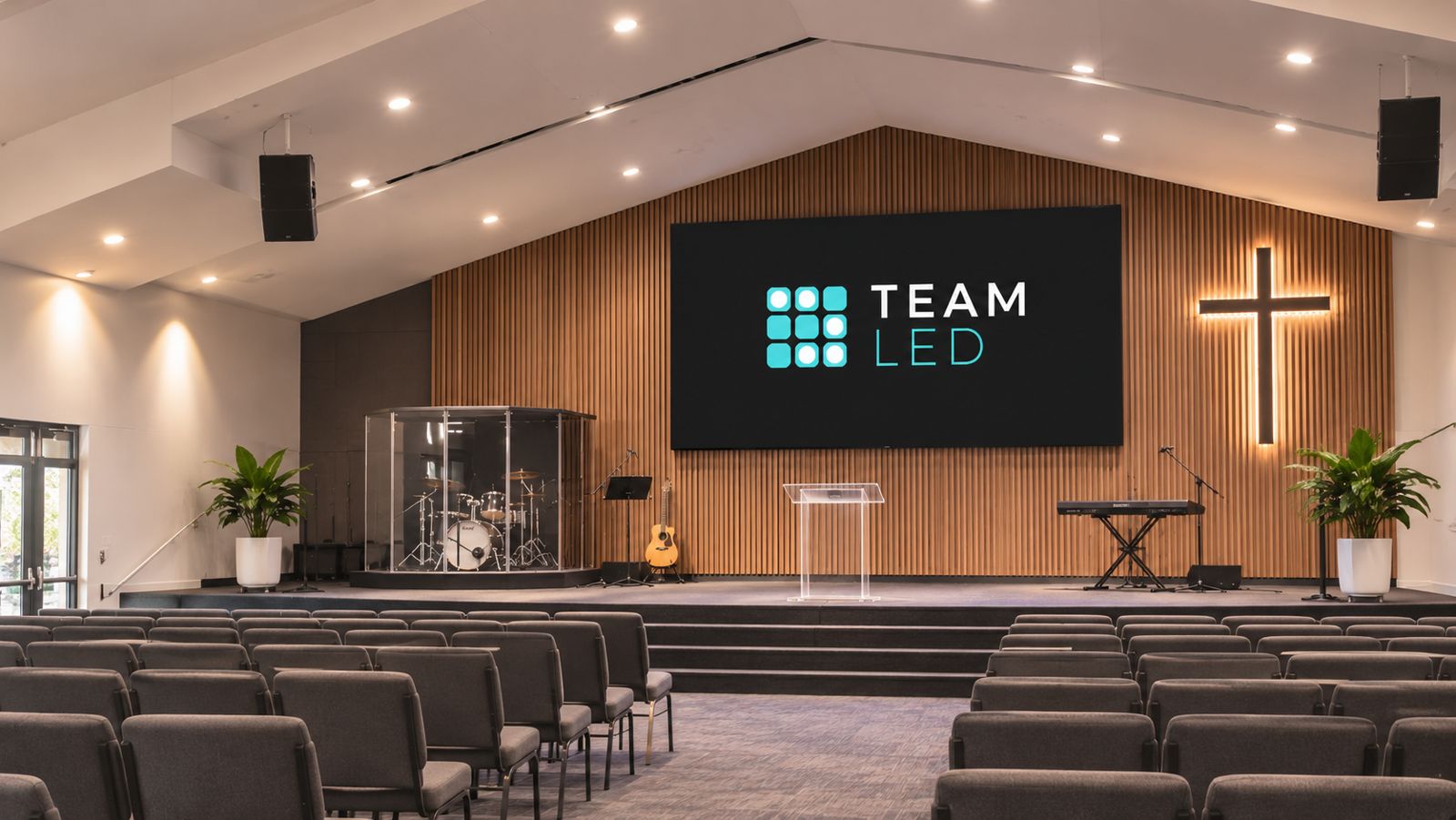
Church AV Buyer’s Guide
For facility managers, property committees and AV ministry leaders planning a sanctuary install, a refit or a streaming upgrade.
Church AV sits where worship, technology and volunteers meet. A system that looks impressive on paper often struggles in practice because it wasn’t designed around the people who run it week to week. The right setup is one a Sunday morning volunteer can run with confidence: clear sound in every seat, visuals that are easy to read in any light, and a stream for your online congregation without needing a full-time tech director.
This guide walks through what a modern church AV system includes, how to plan each part, indicative budgets, and the common mistakes that push up costs or leave systems underused. We install church AV across South-East Queensland, Regional and Remote Queensland, and Northern NSW, and this guide reflects how we approach the same questions when we quote a sanctuary.
What does a church AV system include?
A working church AV system covers six layers. Skip one and you end up with a partial install that needs revisiting.
- Sanctuary display. LED screens or projection for song lyrics, sermon slides, video and live close-ups of whoever is speaking.
- Foyer displays. Welcome messages, event notices, service times and overflow for a second service.
- Sound system. Speakers, amplifiers, a mixing desk, wireless microphones, stage monitors or in-ear monitors, and a processor to tune the room.
- Streaming. Cameras, a streaming encoder, a dedicated audio mix for the stream and, increasingly, live captions.
- Control. A single production desk or touch panel that lets a volunteer change scenes, mute microphones and manage transitions without deep technical knowledge.
- Infrastructure. Cabling, mounting, power and any acoustic treatment the room needs.
A plan that only covers the screens isn’t really a system plan. We scope, price and commission all six layers together.
Sanctuary displays: LED or projection?
The sanctuary display is the most visible part of the system, and it’s also the biggest cost decision.
LED screens in the sanctuary
Indoor LED walls (typically 800 to 1,500 nits) stay clear under stage lighting, side-window daylight and mixed lighting. Common setups for a church of 200 to 800 seats include:
- A centre LED wall behind the platform for song lyrics, sermon slides and video.
- Side LED screens either side of the platform, for wide-angle live close-ups.
- Additional screens further back in longer sanctuaries, or where the back row sits more than 25 metres from the platform.
Sanctuary LED is typically P2.5 to P3.9 pitch, depending on how close the front seats are to the platform. We choose panels from established manufacturers with proven service and parts support. See our church LED screens page for more.
Projection
Projection still has a place in church AV. Purpose-built sanctuaries with controlled lighting and existing screen mounts can get excellent results from a 6,000 to 8,000 lumen laser projector, at a fraction of the cost of LED. Projection falls short in:
- Sanctuaries with skylights, high windows or open side glass.
- Services with live camera close-ups, which usually look washed out when projected.
- Halls used weekly with an older lamp-based projector, where lamp replacements add up.
Our LED vs projector guide covers the trade-offs in detail. Most of it applies to churches too, although light is often an even bigger factor in a sanctuary than in a school hall.
Foyer displays
Foyer displays are usually single flat screens showing welcome content, service times and event notices. Common sizes are 55 to 75 inches. We use commercial-grade screens rather than consumer TVs, because they run 12 or more hours a day and home TVs aren’t built for that.
Sound for worship
Worship sound asks more of a system than most venues. It has to handle:
- Speech from the platform. Clear and easy to follow in every seat, without harsh echoes.
- A worship band. Drums, bass, guitars, keys and up to six or eight vocal microphones.
- Congregational singing. Loud enough to lead, but not so loud it drowns out the room.
- Room microphones. So the online congregation hears the atmosphere of the room.
- Feedback control. Several open microphones on one platform is the hardest job for any sound system.
Speaker coverage
As a rule of thumb, a sanctuary of 300 to 600 seats needs main left and right speakers with subwoofer support, plus delay speakers if the room is deeper than about 25 metres. Wider sanctuaries add front-fill speakers for the first few rows, which sit outside the main speakers’ coverage. We use established equipment with strong processing and long-term parts support.
Mixing and processing
A digital mixer with saved scenes is now standard for church AV. Volunteers simply load a “Sunday morning” scene rather than remembering every setting. A processor sits between the mixer and the amplifiers to manage feedback, room tuning and delay speaker timing.
Wireless microphones
Typical numbers for a mid-size church:
- Four to six handheld microphones for preachers, MCs and worship leaders.
- Four to eight headset or lapel microphones for the pastoral team and speakers.
- Four to eight in-ear monitor packs for the band, depending on its size.
Batteries are a real running cost. Rechargeable systems with a docking station cost more upfront but less to run, while AA battery systems are cheaper to buy but need an ongoing battery budget.
See our church sound systems page for more.
Streaming
Streaming is now a core part of church AV, not an add-on. A working streaming setup includes:
- One to three cameras. Remote-controlled pan-tilt-zoom cameras run from the production desk, or operated cameras in larger churches.
- A video switcher. Blends camera angles, lyric overlays, sermon slides and name captions.
- A streaming encoder. A dedicated hardware unit, or software running on a dedicated computer.
- A separate audio mix for the stream. Not the main room mix, but one shaped for people listening at home, usually with more room sound.
- Where it goes. YouTube, Facebook Live, your church website or several at once. Most churches stream to two or three places.
Streaming can be added later, but retrofitting costs more than planning it into the original install. Even if you’re not ready to stream yet, design the sanctuary AV with streaming in mind from day one.
Easy for volunteers
The biggest predictor of success for church AV is how easy it is for a volunteer to run.
A well-designed control setup means:
- One production desk with a single touch panel or controller.
- Scene presets such as Pre-service music, Welcome, Worship, Sermon, Response and Post-service.
- Automatic input switching.
- One button to start the stream and one to end it.
- Printed instructions stuck to the desk, not buried on a shared drive.
A poorly designed one looks like a laptop running the lyrics, a mixer nobody wants to touch, a stream only the tech director understands, and a Sunday morning where the volunteer is emailing the pastor to ask how to turn the microphones on. We design control systems and presentation workflows that volunteers can pick up quickly.
Indicative budget ranges
Cost depends on the size of the sanctuary, the display technology, the sound and whether streaming is included. These are indicative ranges for a completed install (display, sound, control, streaming and infrastructure) in Australian dollars, excluding GST.
| Church type | Indicative range |
|---|---|
| Small country church (up to 150 seats) with projector, sound and a basic stream | $15,000 to $35,000 |
| Mid-size suburban church (150 to 400 seats) with LED centre screen, full sound and streaming | $55,000 to $135,000 |
| Large church (400 to 1,000 seats) with LED, side screens, full sound and multi-camera streaming | $110,000 to $260,000 |
| Multi-campus or high-production church (1,000+ seats) with concert-grade sound, video wall and professional streaming | $220,000 to $500,000+ |
These depend on ceiling height, existing cabling, the room’s acoustics and your volunteer team. Every install is quoted from its own drawings and a site inspection.
Common church AV mistakes
These are the five mistakes we see most often push church AV projects off track.
1. Spending on equipment, not on how it’s run
This is the most common one. The committee approves a top-tier equipment list but skips volunteer training, documentation and the control setup. The result is a $150,000 system used at 30% of its capacity because no one can run it.
2. Skipping the acoustic assessment
Sanctuaries often have hard ceilings, hard floors and reflective side walls. No speaker upgrade will fix a room where sound hangs around for three seconds. Get an acoustic assessment before planning the sound.
3. Planning the stream after the install
Retrofitting cameras, stream audio and switchers costs 30% to 50% more than planning them in from the start. Even if you won’t stream in year one, plan the cabling and camera positions from day one.
4. Buying home-grade equipment
Home TVs, home theatre receivers and hobby mixers fail early with weekly use. The initial saving turns into replacement costs and downtime. Commercial-grade equipment is built for it.
5. No written handover
Volunteer teams change every two to three years. A system with no written instructions, no scene notes and no walkthrough video becomes hard to use within one changeover. A written handover is part of every install we do, not an afterthought.
Frequently asked questions
What is a church AV system?
It’s the sanctuary display (LED screens or projection), foyer displays, worship sound (speakers, amplifiers, mixer, wireless microphones and monitors), streaming (cameras, encoder and a stream audio mix), volunteer-friendly controls, and the infrastructure underneath (cabling, mounting and acoustic treatment), installed together for Sunday services, weeknight events and your online congregation.
How much does a church AV system cost?
Indicative ranges, excluding GST: small country churches $15,000 to $35,000; mid-size suburban churches with LED and streaming $55,000 to $135,000; large churches $110,000 to $260,000; multi-campus or high-production churches $220,000 to $500,000+. The final price depends on sanctuary size, ceiling height, acoustics and streaming.
Should our church choose LED screens or a projector?
LED comes out ahead when the sanctuary has skylights, high windows or open side glass, or when you use live camera close-ups. A projector still works well in purpose-built sanctuaries with controlled lighting and little camera use. As a rule of thumb, if you hold weekly services with any daylight in the room, LED gives better long-term value.
What sound system does a church need?
A sanctuary of 300 to 600 seats typically needs main left and right speakers with subwoofer support, plus delay speakers if it’s deeper than 25 metres. Add a digital mixer with saved scenes, a processor for room tuning, four to eight wireless microphones for the platform and four to eight wireless or in-ear packs for the band.
Can we add streaming later?
Yes, but retrofitting typically costs 30% to 50% more than planning it in from day one. Even if you’re not ready to stream yet, plan the cabling, camera positions and stream audio during the original install. Then the later upgrade is just cameras and an encoder, not new cable runs.
How do we make church AV easy for volunteers?
Focus on the controls. One production desk with a single touch panel, scene presets for each part of the service, one button to start and stop the stream, and printed instructions at the desk. Volunteers should be able to run a full service without touching a mixer or opening a menu.
What are the ongoing costs of a church AV system?
Annual servicing (typically $1,500 to $5,000 for a mid-size church, covering microphone checks, tuning and firmware updates), microphone batteries, projector lamps if you have them, and streaming platform subscriptions. A service plan from year one helps avoid failures mid-service, and our service level agreements can cover it.
What warranty comes with church AV equipment?
LED walls typically carry a two to three year warranty, with extensions to five years available. Sound and control equipment carries the manufacturer’s warranty. Ask any installer for written warranty terms for each item, not verbal assurances.
Can we spread the upgrade across several budget years?
Yes. A common approach is the sanctuary display and core sound in year one, streaming and cameras in year two, then foyer displays and a volunteer training refresh in year three. Design the year-one controls with room to grow so later stages don’t need a new controller.
Talk to Team LED
One team handles the whole job, from design to commissioning. Tell us about your venue and we’ll take it from there.